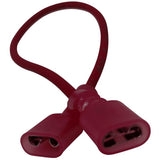
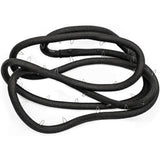
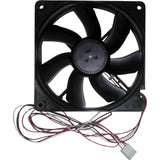
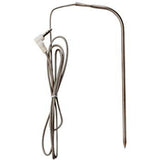
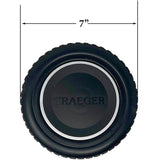
If this is your first time removing the hopper service panel and you don't have an impact driver of your own. Contact our customer support team to get a complimentary manual impact driver.
If you already have a manual impact driver, proceed to removing the hopper service panel.
If you have already removed the service panel screws, you can disregard the impact driver and use a regular Phillips screwdriver.
Once you've removed the screws using the impact driver, continue with the next steps outlined here in this article.
Remove the hopper side service panel using a manual impact driver to remove 6 screws (2 located on top of the access panel, 2 below the hopper side rail, and 2 on the bottom of the access panel).
Pro Tip: Some customers find this easier if they remove the P.A.L Rail first.
Remove the smart combustion cover by unscrewing the 4 screws securing it in place.
Unplug the AUGER, FAN, SMART COMB/GREASE, PELLET, and AC IGN connections.
The SMART connection is siliconed into place to prevent strain on the cable. Follow the blue and brown wires and disconnect the connections to the Lid Light and the Auxiliary Fan.
Unscrew the plastic bottom smart combustion housing from the side of the hopper.
Unfortunately, sometimes products do not work like they are supposed to. We offer a 90 day warranty on manufacturer defects. Some manufacturers
make this a very simple and easy process unfortunately others do not. Items must be used in accordance with the manufacturers guidelines to qualify for warranty replacement. Please
be advised that warranty claims for special parts may take up to 4 weeks for processing, and customers are responsible for return shipping charges.
Shipping Information
This Item Qualifies For Free Shipping!
When Will My Order Ship?
All orders are typically processed within 24 hours of receiving payment and are shipped from us same day if placed before our shipping cutoff time (Monday - Friday: 12PM, Saturday: 10AM, Sunday: No Shipping), orders placed after our cutoff time are shipped the next morning.
Do You Offer Express Shipping?
Yes! Please note the shipping times are based on business days, weekends and holidays do not count to the delivery date. Please see our expedited ship time schedules here.
How Does Free Shipping Work?
Most orders over $99 qualify for free shipping! Orders which ship for free are shipped with either USPS or UPS based on our discretion. If you are using a PO box, free shipping orders will always go USPS.
Do You Ship To Canada?
We ship to Canada! We estimate USPS to take 4-10 days once receiving your package. Please note, we are unable to track US Postal packages once they cross the US border and cannot guarantee shipping times. All customs fees incurred are the responsibility of the customer and are not included in the total price. Please allow an extra 2-5 days for all shipments to Canada. Free shipping is not available to Canada.
Do You Ship To Alaska Or Hawaii?
We ship to both Alaska and Hawaii! We do not offer next day or two day shipping to Alaska or Hawaii. Free shipping is not available to Alaska or Hawaii.
Do You Ship Outside The US Or Canada?
Unfortunately, at this time we do not offer international shipping other than to Canada.
Shipping Time Estimations
For information on shipping time estimations, see the Shipping Information & Transit Times on the shipping page.
If your question does not concern this part, contact us
directly or read our FAQs.
No one has asked about this part yet. Ask us anything specific to it - the wattage, which style or model year it suits, what part numbers it replaces - and we will answer it ourselves.
Every question is read by our team before it appears here, so it will not show up right away - we will email you the answer.
Thank you - we have your question.
Our team reads every question before it appears on this page, so it will not show up here right away. We will send the answer to once we have written it.
If it is urgent, contact us and we will get back to you directly.
Learn More About This Part
The video below explores how this part works, how it usually breaks, how to maintain it, and how to know when it should be replaced.
First Class Mail International: 7 to 21 business days
Priority Mail International: 4 to 7 business days
Priority Mail Express International: 3 to 5 business days
UPS
Ground: 1 to 8 business days
Next Day Air Business day delivery only, no weekend or holidays. 12 PM is the cutoff time, please plan accordingly.
Order Sunday - Delivery Tuesday
Order Monday Before 12:00 PM EST: Delivery Tuesday
Order Monday After 12:00 PM EST: Delivery Wednesday
Order Tuesday Before 12:00 PM EST: Delivery Wednesday
Order Tuesday After 12:00 PM EST: Delivery Thursday
Order Wednesday Before 12:00 PM EST: Delivery Thursday
Order Wednesday After 12:00 PM EST: Delivery Friday
Order Thursday Before 12:00 PM EST: Delivery Friday
Order Thursday After 12:00 PM EST: Delivery Monday
Order Friday Before 12:00 PM EST: Delivery Monday
Order Friday After 12:00 PM EST: Delivery Tuesday
Order Saturday: Delivery Tuesday
2nd Day Air Business day delivery only, no weekend or holidays. 12 PM is the cutoff time, please plan accordingly.
Order Sunday: Delivery Wednesday
Order Monday Before 12:00 PM EST: Delivery Wednesday
Order Monday After 12:00 PM EST: Delivery Thursday
Order Tuesday Before 12:00 PM EST: Delivery Thursday
Order Tuesday After 12:00 PM EST: Delivery Friday
Order Wednesday Before 12:00 PM EST: Delivery Friday
Order Wednesday After 12:00 PM EST: Delivery Monday
Order Thursday Before 12:00 PM EST: Delivery Monday
Order Thursday After 12:00 PM EST: Delivery Tuesday
Order Friday Before 12:00 PM EST: Delivery Tuesday
Order Friday After 12:00 PM EST: Delivery Wednesday
Order Saturday: Delivery Wednesday
Shipping Cutoff Times
Shipping cutoff times let you know when our carriers are scheduled to pick your order up. Orders placed after the times below will ship the next morning.
Monday: 12PM
Tuesday: 12PM
Wednesday: 12PM
Thursday: 12PM
Friday: 12PM
Saturday: 10AM
Sunday: No Shipping
How Does Free Shipping Work
All orders over $99 qualify for free shipping! Orders which ship for free are shipped with either USPS or UPS based on our discretion.
Does SGPFL Offer Shipping To Canada
We ship to Canada! We estimate USPS to take 4-10 days once receiving your package. Please note, we are unable to track US Postal packages once they cross the US border and cannot guarantee shipping times. All customs fees incurred are the responsibility of the customer and are not included in the total price. Please allow an extra 2-5 days for all shipments to Canada. Free shipping is not available to Canada.
Still have a question?
Call or email us and we will help you find the right part.