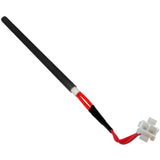
Castle Pigtail Leads Harness for Vacuum Switch: 11392
- Replaces Part # 11392, 11090 for Castle Serenity
- 39" Wire Length
- Wire Length is 39"
- FREE Shipping with orders over $99
- See Complete Description
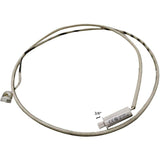
These Pigtail leads are used to connect the Vacuum Switch and the POF Switch to the Interface Module (Controller). Each of these components uses a separate pigtail lead. Castle was distributing these leads with two different lengths in the past once these separate lengths are sold out, Castle will distribute a universal 39" length under part number 11392.
Replacement For Part Numbers:
These are all of the confirmed compatible units for this product. Where To Find Your Make & Model
Check these against the part you are replacing before ordering. If a dimension does not match, contact us and we will confirm the fit.
| Length (in) | 39" |
|---|---|
| Width (in) | ½" |
| Height (in) | ¼" |
| Wire Connector Notes | One End has 2 Female Spades One End Has A 2 Pin Molex Connector |
| Wire Length | 39" |
| Weight | .25 oz |
Install Instructions For Castle Pigtail Leads Harness for Vacuum Switch: 11392
Instructional Documents
Instructional Notes
Install Instructions:
1.) Unplug the unit.
2.) Remove the side or back panel to gain access to the switch. The location of this switch will vary from model to model. See page 4 of ComfortBilts: Guide to Switches! for detailed information on the switch location.
3.) Once you have the switch in view disconnect the two spade connectors (Pay close attention to where these connectors attach to the switch).
4.) Disconnect the vacuum hose from the switch.
5.) Using a small screwdriver remove the two screws holding the switch in place.
6.) Install the new switch and attach it to the stove using the screws previously removed.
7.) Reconnect the vacuum hose to the switch.
8.) Reattach the spade connectors to the switch (The wires must attach to the same prongs, as they were installed on the previous switch.)
9.) Reinstall the rear or side panel.
10.) Plug in the unit.
For more detailed information click on ComfortBilts: Guide to Switches! or Click on Videos in the above tab.
Troubleshooting Notes
-Proof of Fire Switch: If the stove is displaying the low temp alarm despite a large fire burning, it could be a faulty switch or an issue with the switch wire. The easiest way to test this is to switch the wires from the currently used switch to the backup switch that is pre-installed next to the active switch. (Move the wires from their current position to the 2 open tabs on the switch next to it.)
-Vacuum Switch: When the switch is operating correctly, there will be a “V” symbol visible on the bottom of the main screen whenever the exhaust fan is running. If the “V” is not present it is possible that there is an issue with the switch or switch wires.
Parts that customers who bought this one also ordered, the most popular first.
This Item Qualifies For Free Shipping With Orders Over $99!
If your question does not concern this part, contact us directly or read our FAQs.
No one has asked about this part yet. Ask us anything specific to it - the wattage, which style or model year it suits, what part numbers it replaces - and we will answer it ourselves.
Every question is read by our team before it appears here, so it will not show up right away - we will email you the answer.
Thank you - we have your question.
Our team reads every question before it appears on this page, so it will not show up here right away. We will send the answer to once we have written it.
If it is urgent, contact us and we will get back to you directly.
Call or email us and we will help you find the right part.
Mon–Sat 9AM–5PM · Sun 10AM–3PM ESTShipping policy · Return policy · FAQsSame-Day Shipping
On most items*
Learn more about same day shipping cutoff times30-Day Returns
Hassle free return policy
Learn more about our return policy90-Day Warranty
Included with purchase
Learn more about our warrantyUSPS
UPS
Shipping cutoff times let you know when our carriers are scheduled to pick your order up. Orders placed after the times below will ship the next morning.
All orders over $99 qualify for free shipping! Orders which ship for free are shipped with either USPS or UPS based on our discretion.
We ship to Canada! We estimate USPS to take 4-10 days once receiving your package. Please note, we are unable to track US Postal packages once they cross the US border and cannot guarantee shipping times. All customs fees incurred are the responsibility of the customer and are not included in the total price. Please allow an extra 2-5 days for all shipments to Canada. Free shipping is not available to Canada.
Call or email us and we will help you find the right part.
Frequently asked questions