Skip to main content
Product title:

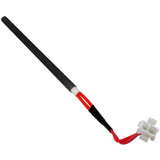
Comfort Bilt Ribbon Style Data Cable: CB-RIBBON

Product rating:
Product price:
$59.99
Product SKU ! CB-RIBBON
Product MPN ! CB-16PIN-DC-24"
Only 3 Left In Stock
Bullet point features
  • Replaces Part # CB-16PIN-DC-24" for many ComfortBilt models
  • Measures 35" Long, 1 ⅛" Wide, and .25" High
  • FREE Shipping with orders over $99
  • 30-Day Hassle Free Returns
  • 90-Day Warranty Included With Purchase
  • Same Day Shipping On Most Items!*
  • See Complete Description
Buy Now Pay Later

Have a Question? Contact Us 24/7 to Ask a Specialist

  • FREE Shipping

    Orders over $99

  • 30-Day Returns

    Hassle free return policy

  • 90-Day Warranty

    Included with purchase

  • Same-Day Shipping

    On most items*

Description

  The controller ribbon cable is tucked behind the dust shield plate on the back of the stove, just above the power switch. The purpose of this cable is to connect the top-side control panel to the bottom mounted motherboard. Input data is sent from the controller to the motherboard by way of this data cable.


Replacement For Part Number:

  • CB-16PIN-DC-24"

Technical Specs

Length (in) 35"
Width (in) 1 ⅛"
Height (in) ¼"
Weight 1.25 oz

Instructions

Install Instructions For Comfort Bilt Ribbon Style Data Cable: CB-RIBBON

Instructional Documents:

Instructional Videos:

Install Instructions:

1.) Unplug the stove's power cord.

2.) Apply gentle pressure to the top control board in an upward direction (This should allow the board to separate from the mounting bracket. On some models the board does not need to be removed).

3.) Unplug the connector from the back of the board (Pay special attention to how the data cable is routed through the stove).

4.) Remove the side panel closest to the lower circuit board.

5.) Unscrew the anchor bolts that secure the lower circuit boards L-bracket to the stove body and back of the black box.

6.) Remove the cover plate from the board (The plate will be held in place by 4 screws).

7.) Disconnect the existing data cable from the board (Pay special attention to how the data cable is routed through the stove).

8.) Plug the new data cable into the lower control board.

9.) Reinstall the lower control board face plate and mounting bracket.

10.) Reattach the mounting bracket to the stove.

11.) Route the new cable through the dust shield plate on the back of the stove (Follow the path of the existing cable).

12.) Plug the other end of the new data cable into the back of the top control board.

13.) Reattach the top control board and reinstall any previously removed panels.

14.) Plug in the stove's power cord.

Click here to view ComfortBilt's Guide to Components!

Troubleshooting

Helpful Tips:

The Controller Ribbon Cable is tucked behind the dust shield plate on the back of the stove, just above the power switch. The purpose of this cable is to connect the top-side control panel to the bottom-mounted motherboard. Input data is sent from the controller to the motherboard by way of this data cable. If the display on the screen is not functioning correctly or the screen goes blank intermittently there may be an issue with this cable.  

Click here to view ComfortBilt's Guide to Components!


Warranty

Unfortunately, sometimes products do not work like they are supposed to. We offer a 90 day warranty on manufacturer defects. Some manufacturers make this a very simple and easy process unfortunately others do not. Items must be used in accordance with the manufacturers guidelines to qualify for warranty replacement. Please be advised that warranty claims for these parts may take up to 4 weeks for processing, and customers must cover shipping.

Shipping Information

This Item Qualifies For Free Shipping With Orders Over $99!

When Will My Order Ship?

All orders are typically processed within 24 hours of receiving payment and are shipped from us same day if placed before our shipping cutoff time (Monday - Friday: 12PM, Saturday: 10AM, Sunday: No Shipping), orders placed after our cutoff time are shipped the next morning.

Do You Offer Express Shipping?

Yes! Please note the shipping times are based on business days, weekends and holidays do not count to the delivery date. Please see our expedited ship time schedules here.

How Does Free Shipping Work?

Most orders over $99 qualify for free shipping! Orders which ship for free are shipped with either USPS or UPS based on our discretion. If you are using a PO box, free shipping orders will always go USPS.

Do You Ship To Canada?

We ship to Canada! We estimate USPS to take 4-10 days once receiving your package. Please note, we are unable to track US Postal packages once they cross the US border and cannot guarantee shipping times. All customs fees incurred are the responsibility of the customer and are not included in the total price. Please allow an extra 2-5 days for all shipments to Canada. Free shipping is not available to Canada.

Do You Ship To Alaska Or Hawaii?

We ship to both Alaska and Hawaii! We do not offer next day or two day shipping to Alaska or Hawaii. Free shipping is not available to Alaska or Hawaii.

Do You Ship Outside The US Or Canada?

Unfortunately, at this time we do not offer international shipping other than to Canada.

Shipping Time Estimations

For information on shipping time estimations, see the Shipping Information & Transit Times on the shipping page.

Learn More About Our Shipping Information
Jump back to product information tab navigation

Description

  The controller ribbon cable is tucked behind the dust shield plate on the back of the stove, just above the power switch. The purpose of this cable is to connect the top-side control panel to the bottom mounted motherboard. Input data is sent from the controller to the motherboard by way of this data cable.


Replacement For Part Number:

  • CB-16PIN-DC-24"

Technical Specs

Length (in) 35"
Width (in) 1 ⅛"
Height (in) ¼"
Weight 1.25 oz

Instructions

Install Instructions For Comfort Bilt Ribbon Style Data Cable: CB-RIBBON

Instructional Documents:

Instructional Videos:

Install Instructions:

1.) Unplug the stove's power cord.

2.) Apply gentle pressure to the top control board in an upward direction (This should allow the board to separate from the mounting bracket. On some models the board does not need to be removed).

3.) Unplug the connector from the back of the board (Pay special attention to how the data cable is routed through the stove).

4.) Remove the side panel closest to the lower circuit board.

5.) Unscrew the anchor bolts that secure the lower circuit boards L-bracket to the stove body and back of the black box.

6.) Remove the cover plate from the board (The plate will be held in place by 4 screws).

7.) Disconnect the existing data cable from the board (Pay special attention to how the data cable is routed through the stove).

8.) Plug the new data cable into the lower control board.

9.) Reinstall the lower control board face plate and mounting bracket.

10.) Reattach the mounting bracket to the stove.

11.) Route the new cable through the dust shield plate on the back of the stove (Follow the path of the existing cable).

12.) Plug the other end of the new data cable into the back of the top control board.

13.) Reattach the top control board and reinstall any previously removed panels.

14.) Plug in the stove's power cord.

Click here to view ComfortBilt's Guide to Components!

Troubleshooting

Helpful Tips:

The Controller Ribbon Cable is tucked behind the dust shield plate on the back of the stove, just above the power switch. The purpose of this cable is to connect the top-side control panel to the bottom-mounted motherboard. Input data is sent from the controller to the motherboard by way of this data cable. If the display on the screen is not functioning correctly or the screen goes blank intermittently there may be an issue with this cable.  

Click here to view ComfortBilt's Guide to Components!


Warranty

Unfortunately, sometimes products do not work like they are supposed to. We offer a 90 day warranty on manufacturer defects. Some manufacturers make this a very simple and easy process unfortunately others do not. Items must be used in accordance with the manufacturers guidelines to qualify for warranty replacement. Please be advised that warranty claims for these parts may take up to 4 weeks for processing, and customers must cover shipping.

Shipping Info

This Item Qualifies For Free Shipping With Orders Over $99!

When Will My Order Ship?

All orders are typically processed within 24 hours of receiving payment and are shipped from us same day if placed before our shipping cutoff time (Monday - Friday: 12PM, Saturday: 10AM, Sunday: No Shipping), orders placed after our cutoff time are shipped the next morning.

Do You Offer Express Shipping?

Yes! Please note the shipping times are based on business days, weekends and holidays do not count to the delivery date. Please see our expedited ship time schedules here.

How Does Free Shipping Work?

Most orders over $99 qualify for free shipping! Orders which ship for free are shipped with either USPS or UPS based on our discretion. If you are using a PO box, free shipping orders will always go USPS.

Do You Ship To Canada?

We ship to Canada! We estimate USPS to take 4-10 days once receiving your package. Please note, we are unable to track US Postal packages once they cross the US border and cannot guarantee shipping times. All customs fees incurred are the responsibility of the customer and are not included in the total price. Please allow an extra 2-5 days for all shipments to Canada. Free shipping is not available to Canada.

Do You Ship To Alaska Or Hawaii?

We ship to both Alaska and Hawaii! We do not offer next day or two day shipping to Alaska or Hawaii. Free shipping is not available to Alaska or Hawaii.

Do You Ship Outside The US Or Canada?

Unfortunately, at this time we do not offer international shipping other than to Canada.

Shipping Time Estimations

For information on shipping time estimations, see the Shipping Information & Transit Times on the shipping page.

Learn More About Our Shipping Information

Customers Also Bought

  • SKU
    MPN
    CB Door Gasket
    DoorGasket
    $39.99
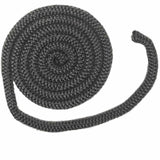
    Comfort-Bilt Door Gasket (3/4" x 7FT)

    Comfort-Bilt Door Gasket (3/4" x 7FT)

    3/4" x 7FT Fiberglass
  • SKU
    COMFORTBILT-EXHAUST-GASKET
    $7.99
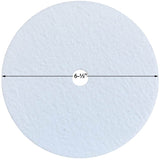
    Comfort Bilt Exhaust Gasket (6.5" DIA.): COMFORTBILT-EXHAUST-GASKET

    Comfort Bilt Exhaust Gasket (6.5" DIA.): COMFORTBILT-EXHAUST-GASKET

  • SKU
    MPN
    FIRESWITCH-AMP
    FireSwitch
    $19.99
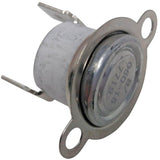
    Comfort Bilt Proof of Fire Switch: FireSwitch-AMP

    Comfort Bilt Proof of Fire Switch: FireSwitch-AMP

    Normally°/125° Ceramic
  • SKU
    MPN
    CB-VACUUM-SWITCH-NS-AMP
    CB-VACUUM-SWITCH
    $59.99
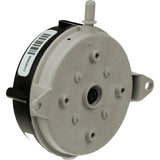
    Comfort Bilt Vacuum Switch: CB-VACUUM-SWITCH-NS-AMP

    Comfort Bilt Vacuum Switch: CB-VACUUM-SWITCH-NS-AMP

  • SKU
    MPN
    CB-IGNITER-AMP
    Ignitor1
    $49.99
    Comfort Bilt Igniter: CB-IGNITER-AMP

    Comfort Bilt Igniter: CB-IGNITER-AMP

    6" Igniter Length 10" Wire Length
  • SKU
    CB-LOWER-BEARING
    $11.99
    Comfort Bilt Lower (Larger) Auger Bearing: CB-LOWER-BEARING

    Comfort Bilt Lower (Larger) Auger Bearing: CB-LOWER-BEARING

  • SKU
    CB-UPPER-BEARING
    $9.99
    Comfort Bilt Upper (Smaller) Auger Bearing: CB-UPPER-BEARING

    Comfort Bilt Upper (Smaller) Auger Bearing: CB-UPPER-BEARING

  • SKU
    MPN
    BURN-POT-HP22-CAST-AMP
    BPCast1
    $119.99
    ComfortBilt Cast Burn Pot: BPCast1-AMP

    ComfortBilt Cast Burn Pot: BPCast1-AMP

    Cast Iron Replaces BPCast1
  • SKU
    MPN
    CB-EXHAUST-FAN-AMP
    Fan1
    $149.99
    Comfort Bilt Exhaust Fan: CB-EXHAUST-FAN-AMP

    Comfort Bilt Exhaust Fan: CB-EXHAUST-FAN-AMP

    115V / 0.55A Replaces Fan1
  • SKU
    MPN
    HP22-BURN-POT-SS-AMP
    CB-BP-SS-Large
    $149.99
    Comfort Bilt Stainless Steel Burn Pot-AMP

    Comfort Bilt Stainless Steel Burn Pot-AMP

    Replaces CB-BP-SS-La Stainless Steel
  • SKU
    CB-MAINTENANCE-KIT
    $79.99
    Comfort Bilt Pellet Stove Maintenance Kit

    Comfort Bilt Pellet Stove Maintenance Kit

  • SKU
    CB-IGNITER-BRACKET-CLAMPS-AMP
    $14.99
    ComfortBilt Pellet Stove Igniter Bracket Clamps with Screw

    ComfortBilt Pellet Stove Igniter Bracket Clamps with Screw

Customer Reviews

Based on 2 reviews
100%
(2)
0%
(0)
0%
(0)
0%
(0)
0%
(0)
T
Thomas S.
Support

Support did a great job helping me.

T
Tammy L.
Ribbon

Great service a quick arrival of my order

QUESTIONS & ANSWERS

If your question does not concern this specific product, use our contact form

Have a Question?

Be the first to ask a question about this.

Ask a Question

Customer Reviews

Based on 2 reviews
100%
(2)
0%
(0)
0%
(0)
0%
(0)
0%
(0)
T
Thomas S.
Support

Support did a great job helping me.

T
Tammy L.
Ribbon

Great service a quick arrival of my order