Comfort Bilt Ribbon Style Data Cable: CB-RIBBON
- Replaces Part # CB-16PIN-DC-24" for many ComfortBilt models
- Measures 35" Long, 1 ⅛" Wide, and .25" High
- FREE Shipping with orders over $99
- Same Day Shipping On Most Items!*
- See Complete Description
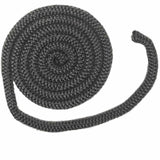
The controller ribbon cable is tucked behind the dust shield plate on the back of the stove, just above the power switch. The purpose of this cable is to connect the top-side control panel to the bottom mounted motherboard. Input data is sent from the controller to the motherboard by way of this data cable.
Replacement For Part Number:
Check these against the part you are replacing before ordering. If a dimension does not match, contact us and we will confirm the fit.
| Length (in) | 35" |
|---|---|
| Width (in) | 1 ⅛" |
| Height (in) | ¼" |
| Weight | 1.25 oz |
Install Instructions For Comfort Bilt Ribbon Style Data Cable: CB-RIBBON
Instructional Documents
Instructional Videos
Instructional Notes
Install Instructions:
1.) Unplug the stove's power cord.
2.) Apply gentle pressure to the top control board in an upward direction (This should allow the board to separate from the mounting bracket. On some models the board does not need to be removed).
3.) Unplug the connector from the back of the board (Pay special attention to how the data cable is routed through the stove).
4.) Remove the side panel closest to the lower circuit board.
5.) Unscrew the anchor bolts that secure the lower circuit boards L-bracket to the stove body and back of the black box.
6.) Remove the cover plate from the board (The plate will be held in place by 4 screws).
7.) Disconnect the existing data cable from the board (Pay special attention to how the data cable is routed through the stove).
8.) Plug the new data cable into the lower control board.
9.) Reinstall the lower control board face plate and mounting bracket.
10.) Reattach the mounting bracket to the stove.
11.) Route the new cable through the dust shield plate on the back of the stove (Follow the path of the existing cable).
12.) Plug the other end of the new data cable into the back of the top control board.
13.) Reattach the top control board and reinstall any previously removed panels.
14.) Plug in the stove's power cord.
Troubleshooting Notes
Helpful Tips:
The Controller Ribbon Cable is tucked behind the dust shield plate on the back of the stove, just above the power switch. The purpose of this cable is to connect the top-side control panel to the bottom-mounted motherboard. Input data is sent from the controller to the motherboard by way of this data cable. If the display on the screen is not functioning correctly or the screen goes blank intermittently there may be an issue with this cable.
Parts that customers who bought this one also ordered, the most popular first.
This Item Qualifies For Free Shipping With Orders Over $99!
If your question does not concern this part, contact us directly or read our FAQs.
No one has asked about this part yet. Ask us anything specific to it - the wattage, which style or model year it suits, what part numbers it replaces - and we will answer it ourselves.
Every question is read by our team before it appears here, so it will not show up right away - we will email you the answer.
Thank you - we have your question.
Our team reads every question before it appears on this page, so it will not show up here right away. We will send the answer to once we have written it.
If it is urgent, contact us and we will get back to you directly.
Call or email us and we will help you find the right part.
Mon–Sat 9AM–5PM · Sun 10AM–3PM ESTShipping policy · Return policy · FAQsSame-Day Shipping
On most items*
Learn more about same day shipping cutoff times30-Day Returns
Hassle free return policy
Learn more about our return policy90-Day Warranty
Included with purchase
Learn more about our warrantyUSPS
UPS
Shipping cutoff times let you know when our carriers are scheduled to pick your order up. Orders placed after the times below will ship the next morning.
All orders over $99 qualify for free shipping! Orders which ship for free are shipped with either USPS or UPS based on our discretion.
We ship to Canada! We estimate USPS to take 4-10 days once receiving your package. Please note, we are unable to track US Postal packages once they cross the US border and cannot guarantee shipping times. All customs fees incurred are the responsibility of the customer and are not included in the total price. Please allow an extra 2-5 days for all shipments to Canada. Free shipping is not available to Canada.
Call or email us and we will help you find the right part.
Frequently asked questions